Appointment Confirmation SMS Template: The Complete and Practical Guide
Written by SmsJuice | 7 August 2025 | ⏱ 6 min read
 In brief
- An unbeatable open rate: SMS messages have a nearly 98% open rate, whereas emails often struggle to surpass 20%.
- Two messages, two roles: the confirmation (on the day of booking) validates the appointment, while the reminder (24 or 48 hours prior) prevents no-shows.
- 160 characters, not one more: a good reminder SMS gets straight to the point and includes 6 key elements.
- The legal framework: the SMS STOP notice is mandated by the GDPR. It's not optional.
- Simple automation: tools are now available to send your reminders in the background, without any coding required.
- Interactive SMS: allowing customers to reply YES or NO drastically reduces the no-show rate.
- A clear ROI: an SMS costs only a few cents, which is always less than the loss incurred from an empty appointment slot.
 Summarise the article with:
A forgotten appointment means lost time for you and is often an inconvenience for your client. Implementing a well-calibrated SMS appointment reminder can reduce no-shows by 20 to 30%. In certain professions with tight schedules, reductions of up to 75% have even been observed. Here's a practical guide on how to do it, complete with ready-to-use templates, essential timing rules, and common pitfalls to avoid.
The SMS Appointment Reminder: A Game-Changing Professional Habit
What the Numbers Say About No-Shows
Today, 48% of customers prefer to be notified by SMS, far ahead of email (22%) according to the 2025 Efidem study. This is a strong signal: your customers have their phones in hand all day. It only makes sense to use this to your advantage.
An SMS appointment reminder sent the day before reduces the no-show rate by 20% to 30% on average. For high-demand professions like physiotherapy or beauty treatments, the impact is even more significant, sometimes achieving a 75% reduction in no-shows Esendex / Booksy data 2024-2025.
In practice, the effect is immediate: fewer gaps in the day, a less stressed team, and a much smoother client relationship. Setting up an automated message has become a quality standard accessible to any organisation.
Confirmation vs. Reminder: Two Messages, Two Distinct Roles
The two are often confused. However, they serve entirely different purposes.
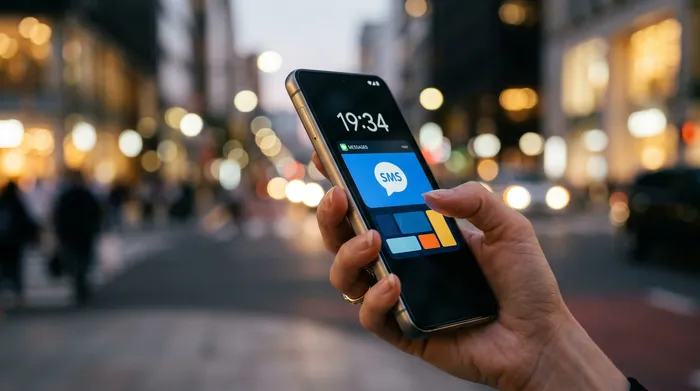
The appointment confirmation SMS is sent immediately (on Day 0). Its purpose? To reassure the client by confirming their request has been registered and providing essential practical information. It's the foundation of a good appointment booking process.
The reminder SMS, on the other hand, comes later (24 or 48 hours beforehand). It's your safety net against forgetfulness, which remains by far the number one reason for missed appointments, well ahead of any bad faith.
Quick tip: for medical procedures or technical services scheduled several months in advance, a third message sent 7 days prior is highly effective. This gives the client time to make arrangements for these high-value appointments.
How to Write the Perfect SMS Appointment Confirmation Message: The Checklist
A good message template gets straight to the point. Here are the 6 elements to always include:
| Element | Concrete Example | Role |
|---|---|---|
| Company Name | Dr. Martin's Clinic | Instantly identify the sender |
| Client's first name | Hello Sophie | Personalise the exchange |
| Precise date and time | Monday 14 July at 10:30 am | Avoid any confusion about the time slot |
| Address or video call link | 12 Peace Street / [link] | Facilitate access on the day |
| Cancellation link | [shortened link] | Allow the slot to be freed up easily |
| STOP SMS notice | STOP to 36XXX | Comply with the law (GDPR) |
The 160-character limit is not a myth. If you exceed it, your reminder text will be charged as two SMS messages. Every word counts.
That's why you absolutely must use shortened links. A standard web link can easily take up 50 characters. Use the features of SmsJuice to generate short links and allow your clients to change their appointment time without blowing up your character count.
Copy-and-paste appointment reminder SMS examples
Here are a few ready-to-use templates. We have indicated the character count to give you a clear idea.
Templates for the medical and paramedical sector
Here, the tone must remain sober, clear, and formal.
Template 1 — Immediate confirmation (online appointment booking)
Hello [First Name], your appointment with Dr. Dupont is confirmed for [Date] at [Time]. Clinic located at [Address]. To cancel: [link]. STOP 36XXX (~145 characters)
Template 2 — 24-Hour Reminder (Classic)
Reminder: Appointment with Dr. Martin tomorrow, [Day] at [Time], [Address]. If you can't make it, please cancel here: [link]. Thank you. Dr. Martin's Clinic. STOP 36XXX (~130 characters)
Template 3 — Physio or Specialist Reminder (with instructions)
Hello [First Name], your physio appointment is tomorrow at [Time] at [Address]. Please wear comfortable clothing. To cancel: [link]. Lefèvre Clinic. STOP 36XXX (~140 characters)
For medical appointments, always state the practitioner's name and the exact address. Patients often see several specialists, and this prevents them from going to the wrong clinic.
Templates for the beauty and wellness industry
You can adopt a warmer tone. Emojis are welcome, but be aware: some special characters will drop the limit to 70 characters per SMS instead of 160. Always test before sending in bulk.
Template 4 — Hairdresser or Salon Reminder (1 day before)
Hi [First Name]! We look forward to seeing you tomorrow at [Time] at [Salon Name] for your appointment. To reschedule: [link]. See you soon! STOP 36XXX (~140 characters)
Template 5 — Confirmation for a Specific Treatment
[First Name], your [Type of treatment] is confirmed for [Date] at [Time] at [Institute Name]. Questions? Reply to this SMS. STOP 36XXX (~135 characters)
Template 6 — Re-engaging an Inactive Client
Hi [First Name], it's been a while! Your next appointment at [Name] isn't scheduled yet. Book your next slot here: [link]. STOP 36XXX (~148 characters)
This is an excellent method to reactivate with a client appointment reminder message for clients who have been dormant for 3 to 6 months. It often works better than an aggressive promotion.
Templates for B2B professionals and tradespeople
Brevity and professionalism are paramount. Get straight to the point.
Template 7 — Professional Appointment Confirmation (B2B / Video Call)
Hello [First Name], your video appointment with [Company Name] is confirmed for [Date] at [Time]: [link]. To reschedule: [link]. STOP 36XXX (~140 characters)
Template 8 — 24-Hour Reminder for Tradesperson (Plumber, Electrician)
Hello [First Name], your [Type] service is confirmed for tomorrow at [Time] at [Address]. Your presence is required. Reschedule: [link]. [Company Name]. STOP 36XXX (~143 characters)
Template 9 — Post-Quote Confirmation (Consultant or Agency)
Hello [First Name], following your approval, our kick-off meeting is set for [Date] at [Time]. Connection link: [link]. [Company Name]. STOP 36XXX (~148 characters)
For tradespeople, remember to specify that the client's presence is essential. This will save you a wasted trip to a locked door.
Templates for unexpected events (delay, cancellation, rescheduling)
These messages are crucial. They save the client relationship when things don't go as planned.
Template 10 — Cancellation on Your Part (Force Majeure)
Template 11 — Managing a Delay
A short message sent in time preserves trust and often prevents a negative online review. Empathy plays a big role in lowering the overall no-show rate of your clientele.
When and how to effectively send an SMS appointment reminder
The right timing based on your business sector
Every profession has its own pace. Here's what works best in practice:
| Sector | Confirmation (D-0) | Main reminder | Follow-up reminder |
|---|---|---|---|
| Medical / Paramedical | Immediately | 24 hours before | 7 days prior for advance bookings |
| Beauty / Wellness | Immediately | 24 hours before | — |
| B2B / Consulting | Immediately | 48 hours before | 7 days before for important meetings |
| Tradesperson / Technician | Immediately | 24 hours before | 2 hours before for long jobs |
The rule of thumb: send the confirmation at the time of booking, and the automatic reminder 24 hours before. Switch to 48 hours before if your service requires specific preparation from the client.
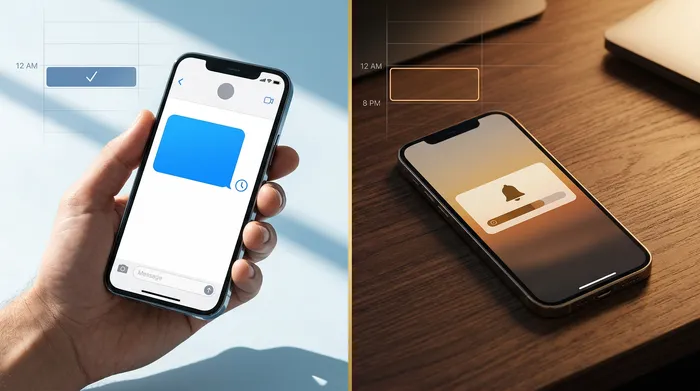
The legal golden rule: never send SMS messages before 8:00 AM or after 8:00 PM. This is a strict requirement in France (Article L34-5 of the CPCE), as is the ban on sending them on Sundays and public holidays. A good automatic reminder tool will block these time slots for you. See the CNIL regulations.
How to automate sending without wasting time
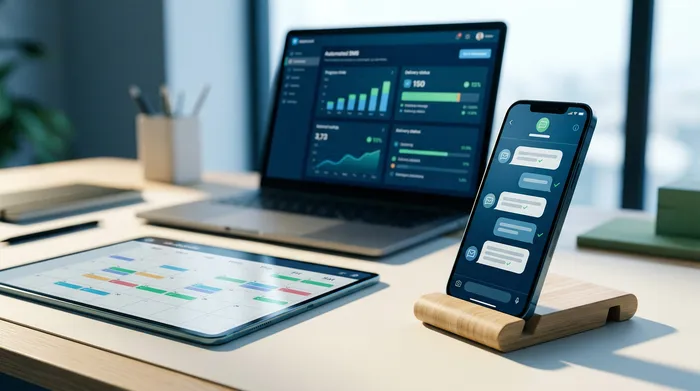
Nowadays, sending these messages manually makes no sense. The ideal solution is to connect your sending tool to your calendar (Google Calendar, Calendly, Doctolib or your CRM). The SMS reminder software works in the background and triggers the send at the right time.
The real trend for 2025 is two-way conversational SMS. Gone are the days of the old "Do not reply to this message". Your clients can type "YES" to confirm or "NO" to cancel, and your calendar updates automatically. This is automated messaging at its best.
To take things a step further, RCS (Rich Communication Services) is becoming the new standard. This technology lets you embed genuine interactive buttons (Confirm, Reschedule) directly into the smartphone's messaging app, complete with your company's verified logo. Learn how RCS works.
Our tool to easily automate your reminder SMS
To set this all up, you need a reliable infrastructure without having to use your personal phone.
Discover SmsJuice — our platform allows you to schedule your SMS appointment reminders in just a few clicks, directly from your browser.
In practical terms, here's what this means for you:
- Guaranteed deliverability: your clients receive and read the message in under 3 minutes.
- Pre-built templates: variables (first name, date, time) are populated automatically.
- Response management: YES/NO confirmations are handled automatically, without overwhelming your front desk.
- No technical skills needed: the interface is designed to be as simple as sending an SMS from a mobile phone.
- Quick setup: choose your sender ID, type your message, and you're all set.
Send an appointment reminder SMS via SmsJuice right now. Try sending your first SMS appointment reminder. You'll see, the maths is simple: an SMS is infinitely cheaper than an empty time slot.
Conclusion — Take Action Against Missed Appointments
A well-crafted client appointment reminder message is the most profitable investment to secure your schedule and revenue. Automate your messages today and free yourself from this mental burden.
🙋🏻♂️ FAQ — Frequently Asked Questions About Appointment Reminder SMS
How do you send an SMS appointment reminder to your clients?
Forget about your personal phone. Use an online sending platform or connect an API to your calendar. This allows you to automatically personalise messages and track delivery receipts professionally.
How do you professionally confirm an appointment by SMS?
Be clear and concise. Use a message template that includes the date, time, location, and a cancellation link. This SMS appointment confirmation message should be sent immediately after booking.
When is the most effective time to send an appointment reminder message?
As a general rule, 24 hours beforehand is the perfect timing. Switch to 48 hours if the appointment requires preparation. For very long lead times, add a brief reminder 7 days before using your SMS reminder software.
Are there any free tools for sending SMS appointment reminders?
Most platforms offer free trial credits for testing. After that, you pay per message. At just a few cents per SMS, the investment pays for itself from the very first saved time slot.
How do you set up automatic 'YES / NO' replies in a reminder SMS?
You need to use an interactive SMS option with a dedicated number. The customer replies, and the platform interprets the message to update your calendar. This is a very common feature on good SMS sending tools.
What is the difference between a confirmation SMS and an appointment reminder SMS?
The confirmation SMS validates the appointment at the moment it's booked. The reminder SMS is sent the day before (24 hours beforehand) to prevent no-shows. They are complementary and serve two different purposes.
Is the 'STOP SMS' notice really mandatory in a reminder SMS?
Yes, it's 100% mandatory. It's required by the GDPR to allow users to unsubscribe. Don't take this lightly; forgetting to include the STOP SMS notice can lead to heavy penalties from the CNIL.
How much does it cost to send an appointment reminder SMS?
The price ranges from a few cents to €0.10 per message. It's a minimal expense compared to the cost of an empty slot. The return on investment is noticeable from the very first week of use.